Optimizing Navigation
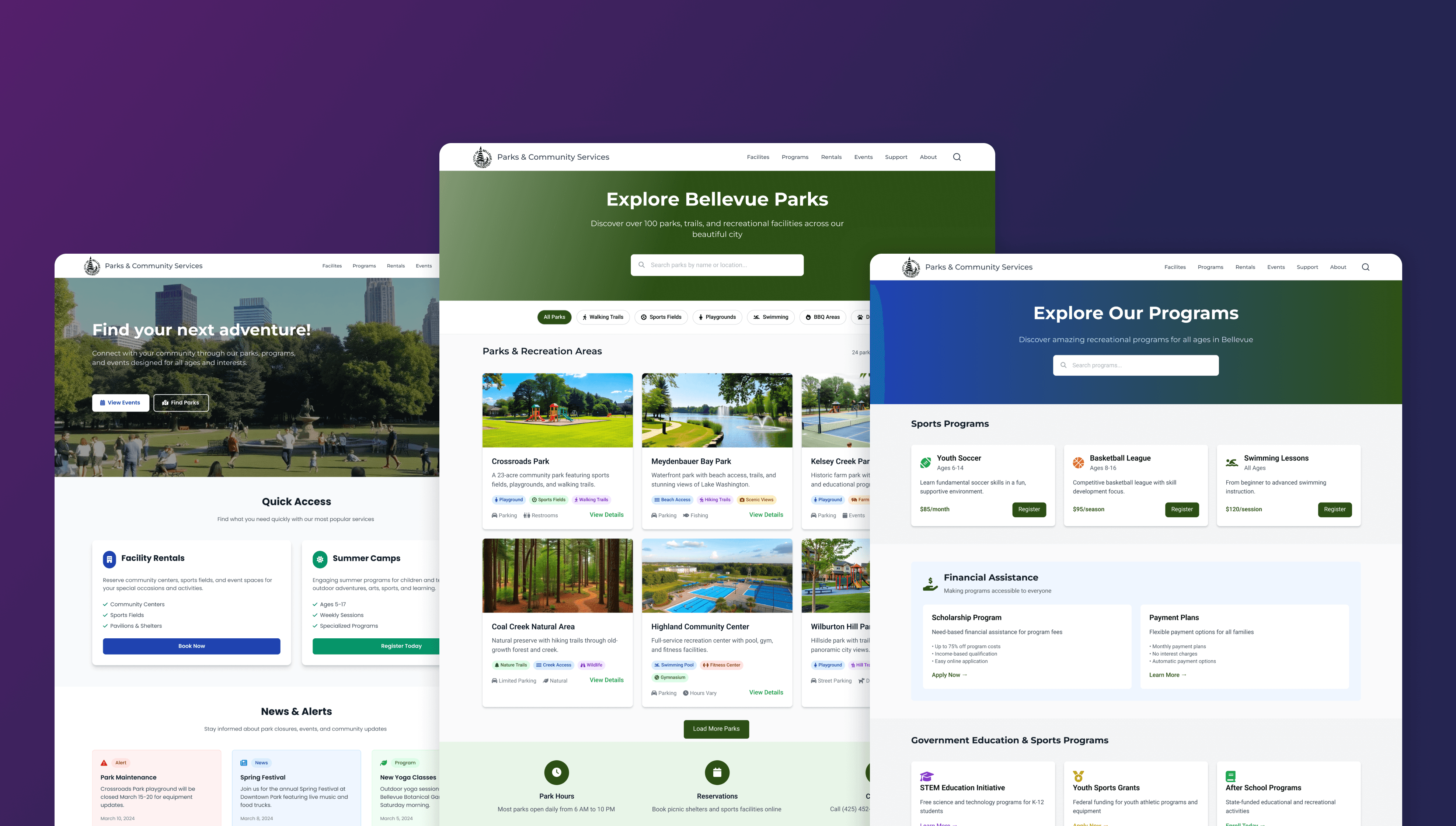
For my capstone project, I worked with the City of Bellevue’s Parks and Community Services Department to improve how information is organized on their website. The goal was to make it easier for people to find what they need.
Duration
6 Months
Team
(me) Product Designer, (1) User Researcher, (1) Project Manager
Responsibilities
User Research, Ideation, Prototyping, Visual Designs
SUMMARY
Redesigning the Information Architecture to help people navigate Parks and City Services.
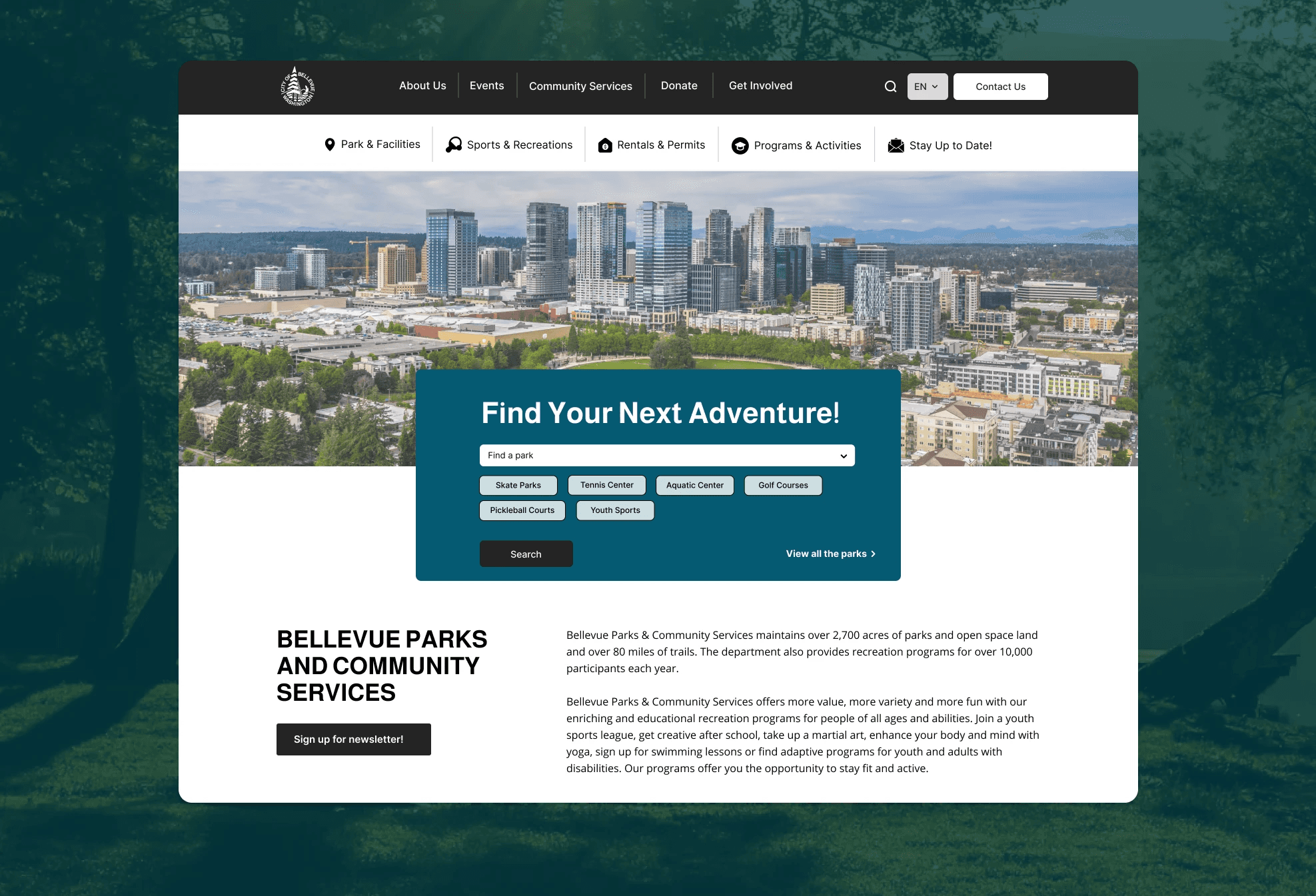
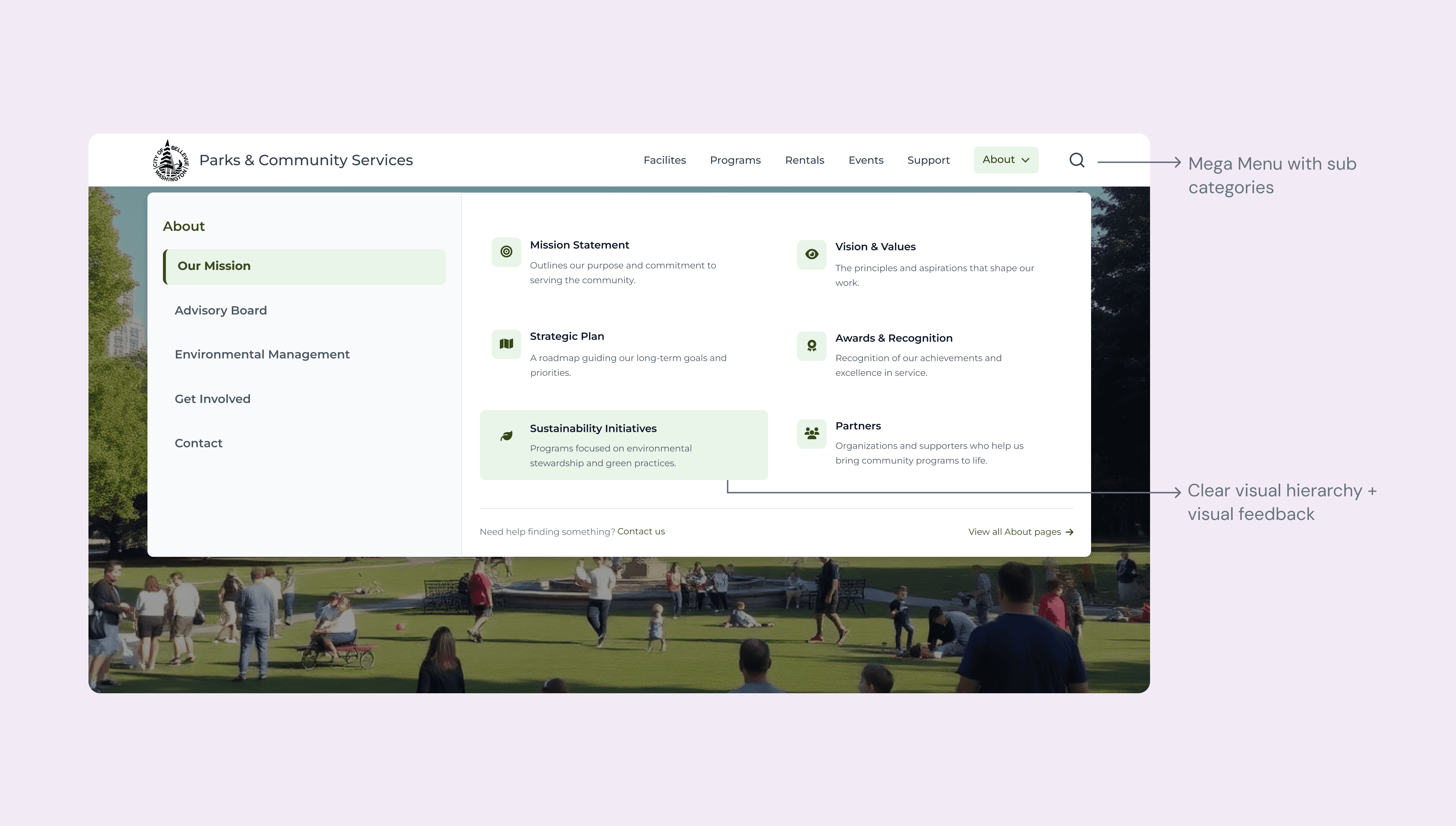
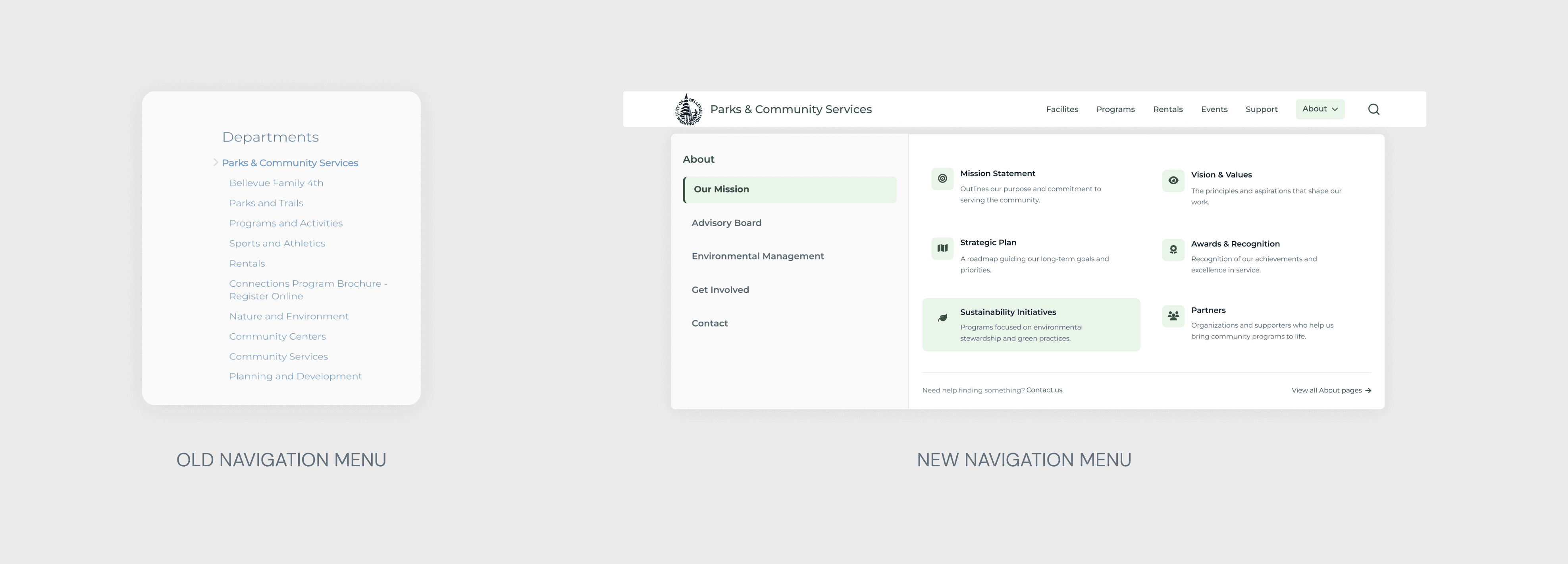
I led the transformation of the site’s information architecture (IA) to unlock and streamline core user-facing features—making it easier for residents to find, engage with, and act on the city’s park programs and services. I researched competitor sites, tested information structure, and designed a two-column menu with categories and clear links featuring icons and descriptions.
INTRODUCTION
Bellevue Parks & Community Services manages and maintains parks, recreational facilities, and community services within the city of Bellevue.
The website supports a wide range of user goals—ranging from program registration and park exploration to facility rentals and community support access.
Redesigning its information architecture creates an opportunity to greatly improve how people find and act on these services
A clearer, more intuitive structure can reduce frustration, boost participation in city programs, and ensure that critical resources—like housing support or inclusive recreation—are easier to access for everyone.
PROBLEM
The site was difficult to scan, hard to explore confidently, and lacked visual cues to help users know where they were or what to do next.
GRANULAR DESIGN PROBLEMS
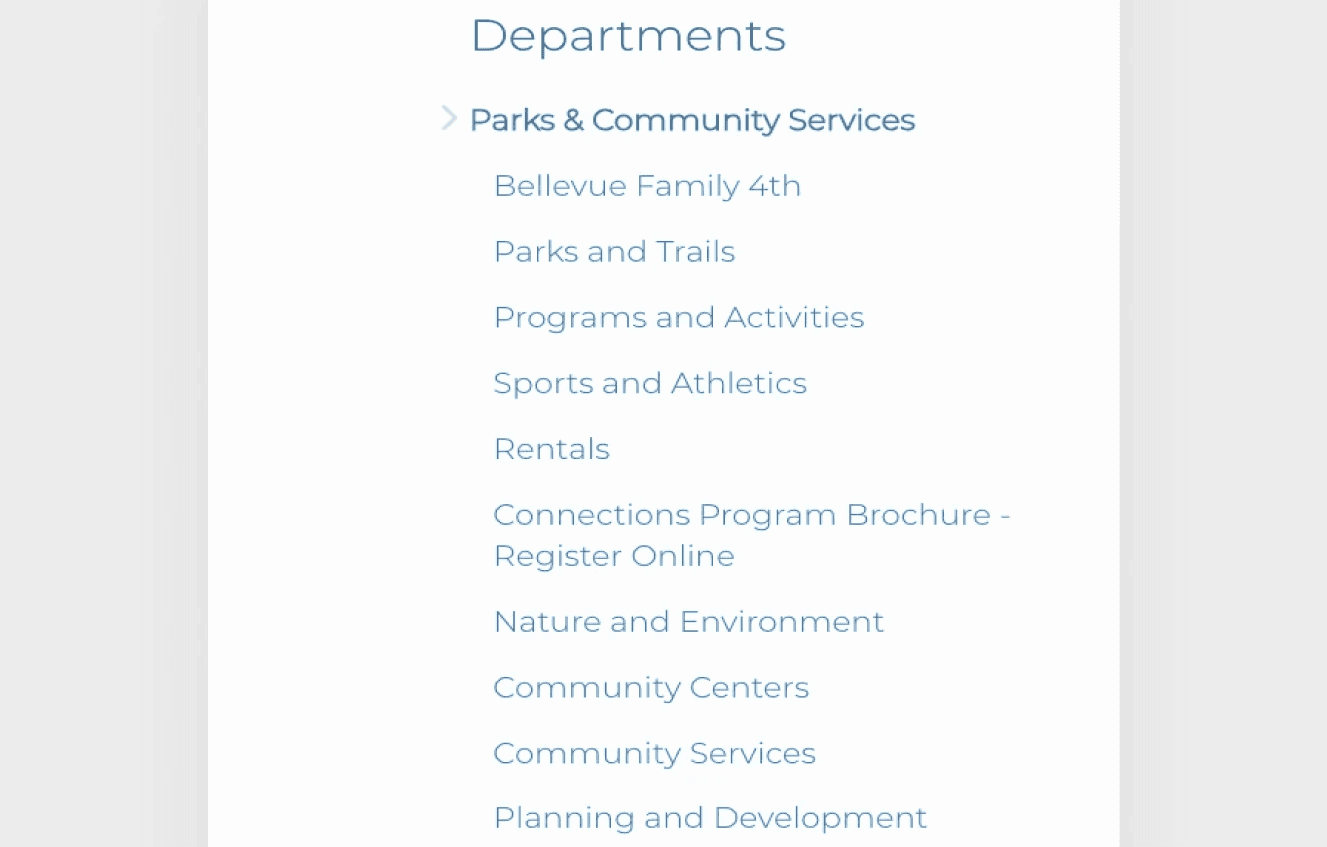
Overwhelming, Text-Heavy Navigation
The primary navigation featured too many categories and lengthy labels, making it hard for users to quickly scan and choose the right path.
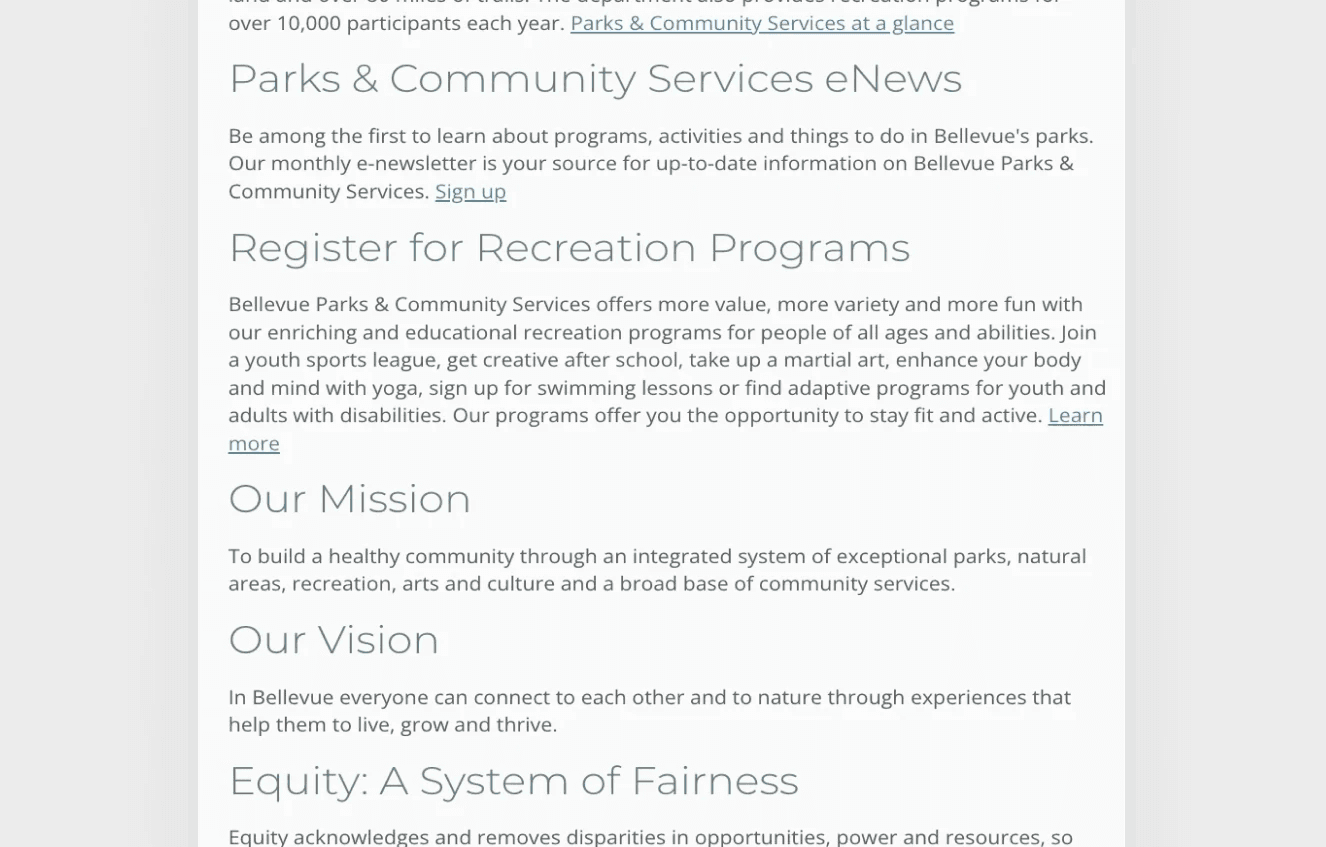
Lack of Visual Hierarchy
Both in the navigation and interior pages, there was minimal structure—leading to flat layouts and poor scannability, especially for first-time visitors.
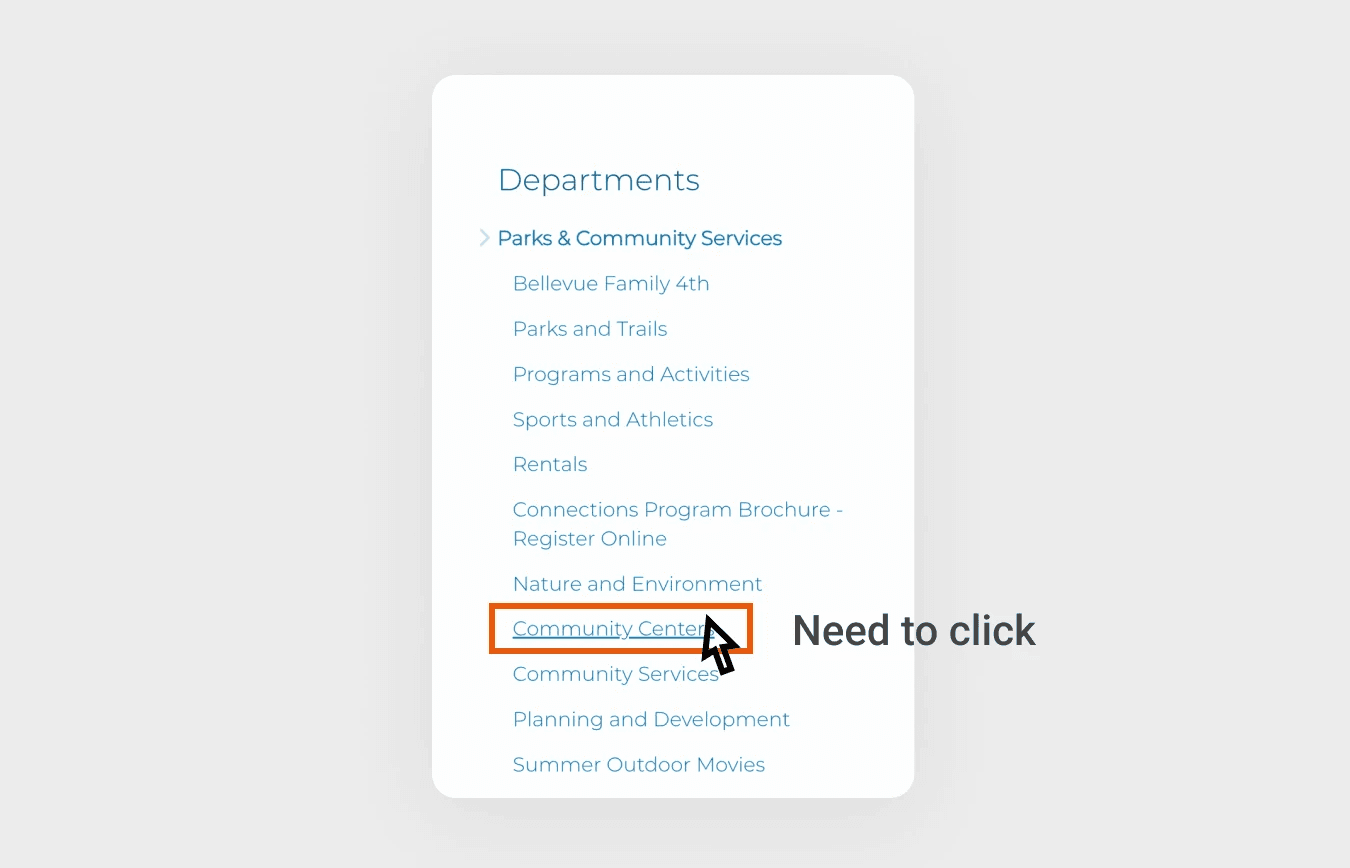
Unclear Click Behavior with No Feedback
Menu items required users to click to explore, but without any hover feedback or clear indicators, users were unsure if they were interacting with links or just headings.
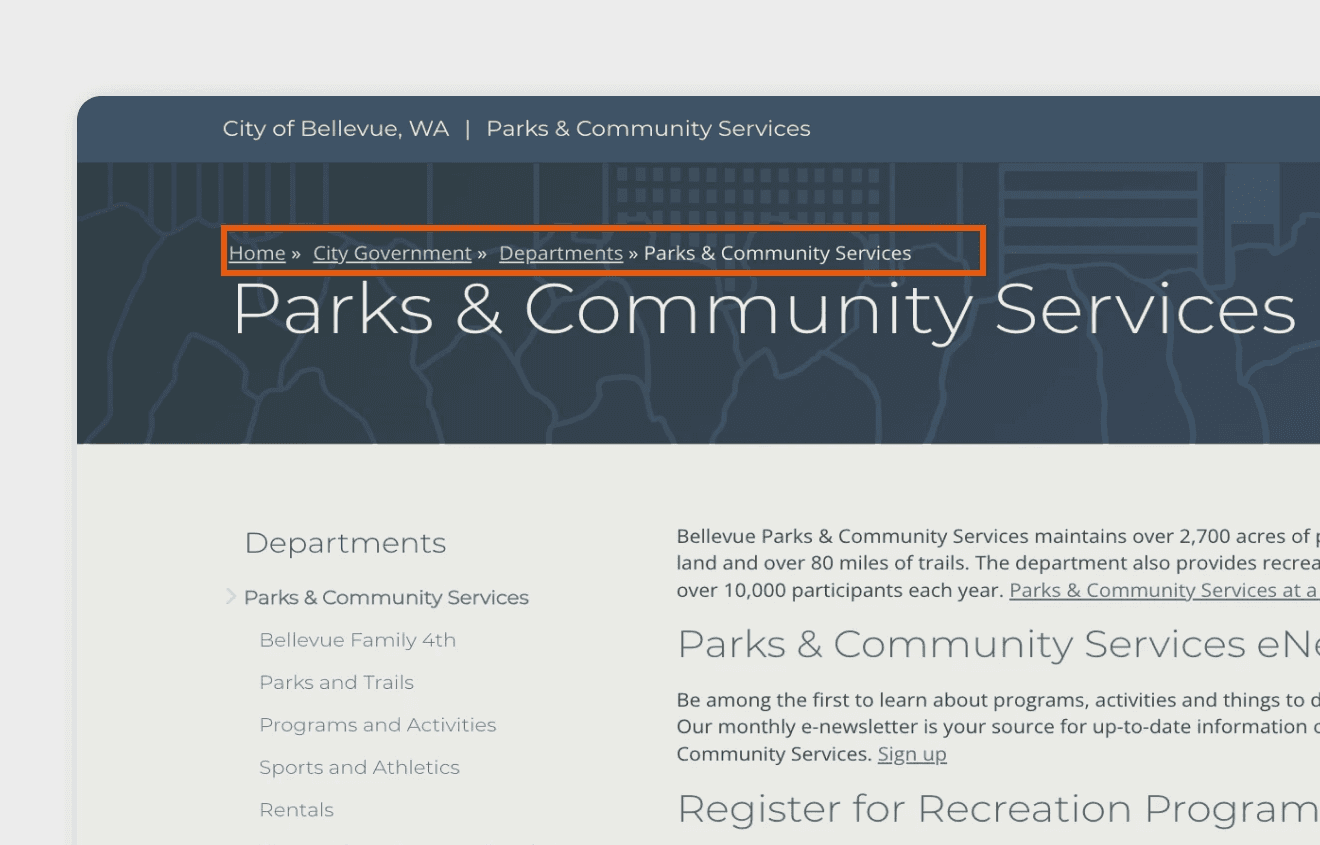
Disconnected Breadcrumbs
The breadcrumb placement on the page often didn’t align with where users expected to be, creating confusion and making it hard for users to understand their location.
GOAL
Redesigning the Navigation Bar with updated Information Architecture
Creating a new navigation bar that reflects a clear and logical information structure, improving user flow and making content easier to find.
Easier Navigation
Design a clean, intuitive navigation flow that reduces friction and boosts user efficiency.
Improved Visual Hierarchy
Leverage icons and text hierarchy to prioritize information and improve user scanning.
Better Visual Feedback
Incorporate hover states, active indicators, and other visual cues to enhance user interaction clarity.
PROCESS + REASONS
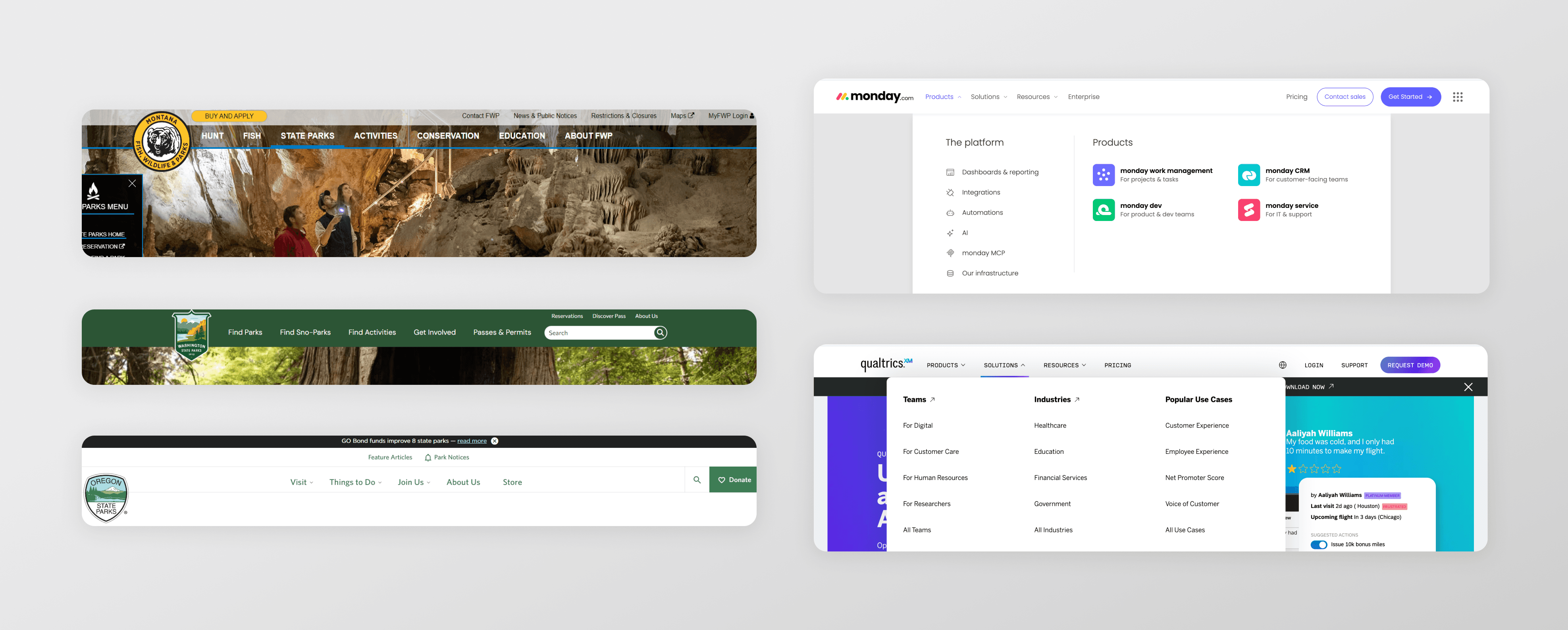
Exploring existing navigation designs to guide the redesign
To inform the redesign, I conducted a competitor analysis of navigation bars across 5 major parks’ websites to understand common patterns and user expectations. I also performed audits of 10 top-performing navigation bars outside the industry to identify best practices.
NAV BAR DESIGN DECISIONS
Crafting a better Navigation Bar
From the start, I recognized the navigation bar would be the key touchpoint for information discovery—crucial to the overall user experience. To shape its structure, I conducted card sorting and tree testing to define a user-centered information architecture. Below are some of the other design decisions made during the process.
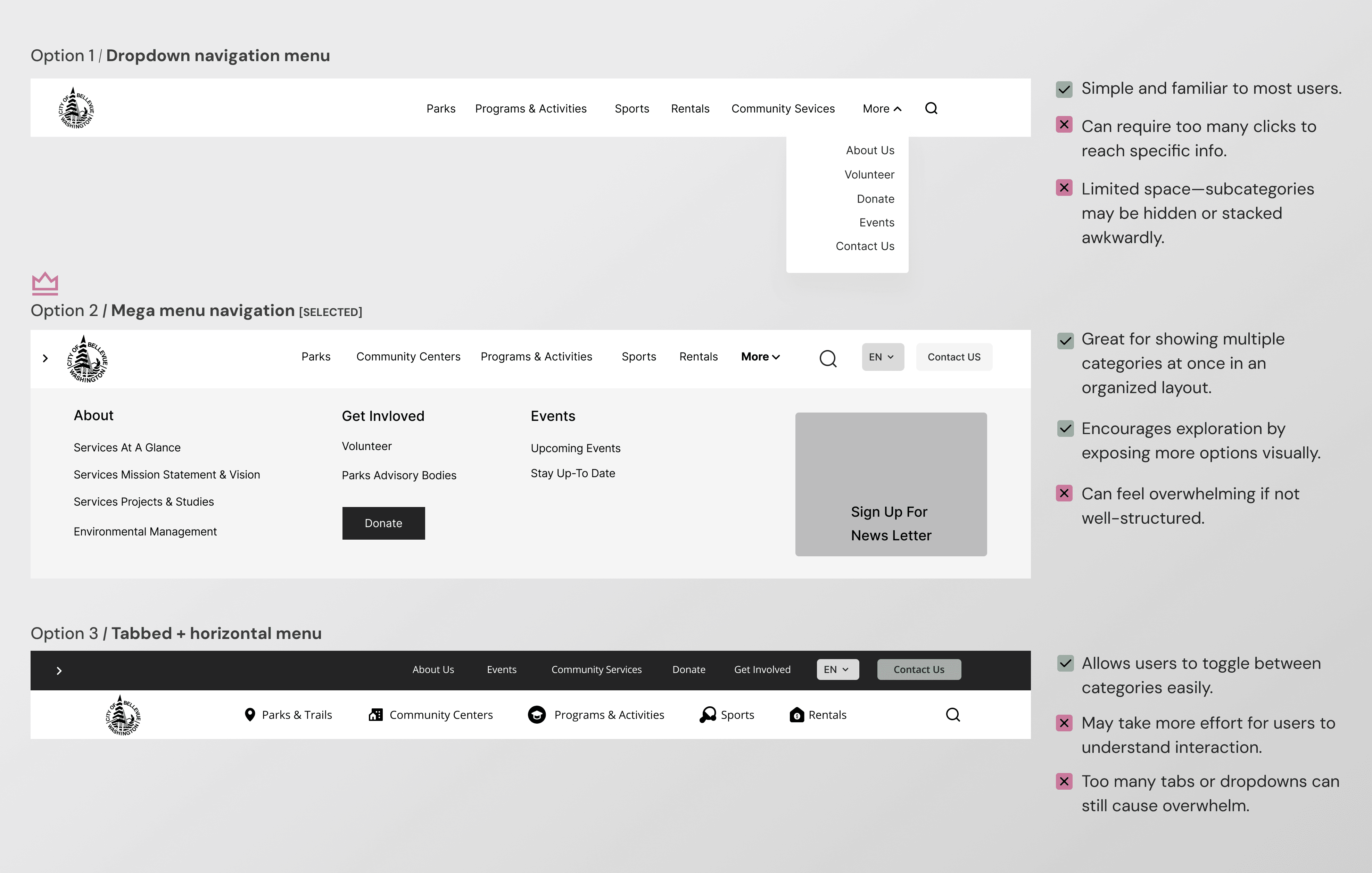
Type of menu
I chose a mega menu option to accommodate the broad and diverse offerings on the Parks and Community Services website—ranging from programs and facilities to permits and events.
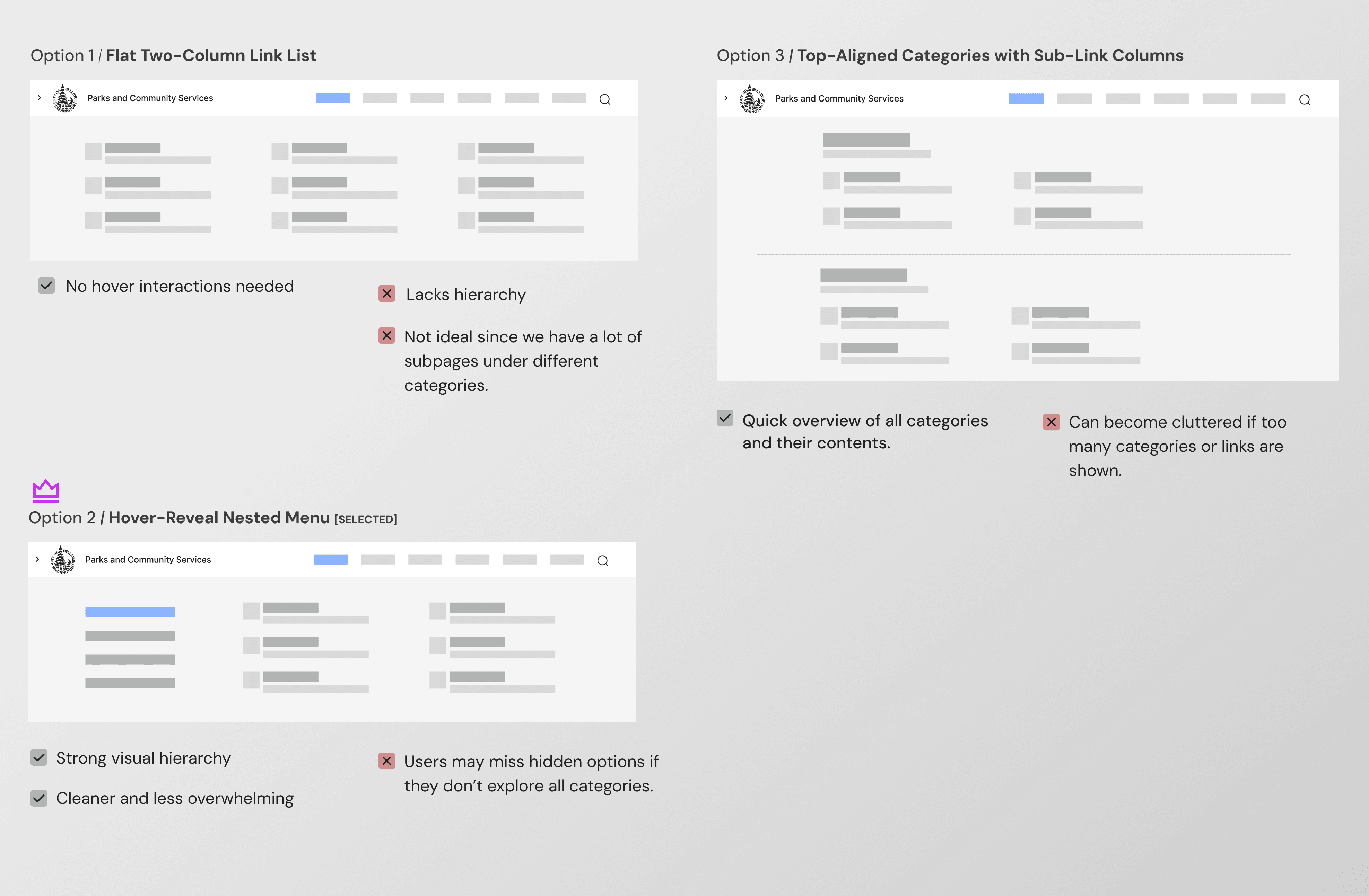
Information display within menu structure
Among the layout options, I selected the Progressive Disclosure Mega Menu (Category + Contextual Links Panel) to provide a scalable, organized, and less overwhelming navigation experience. By revealing subpage links contextually on hover, users can focus on one category at a time, reducing cognitive load while still offering quick access to deeper content.
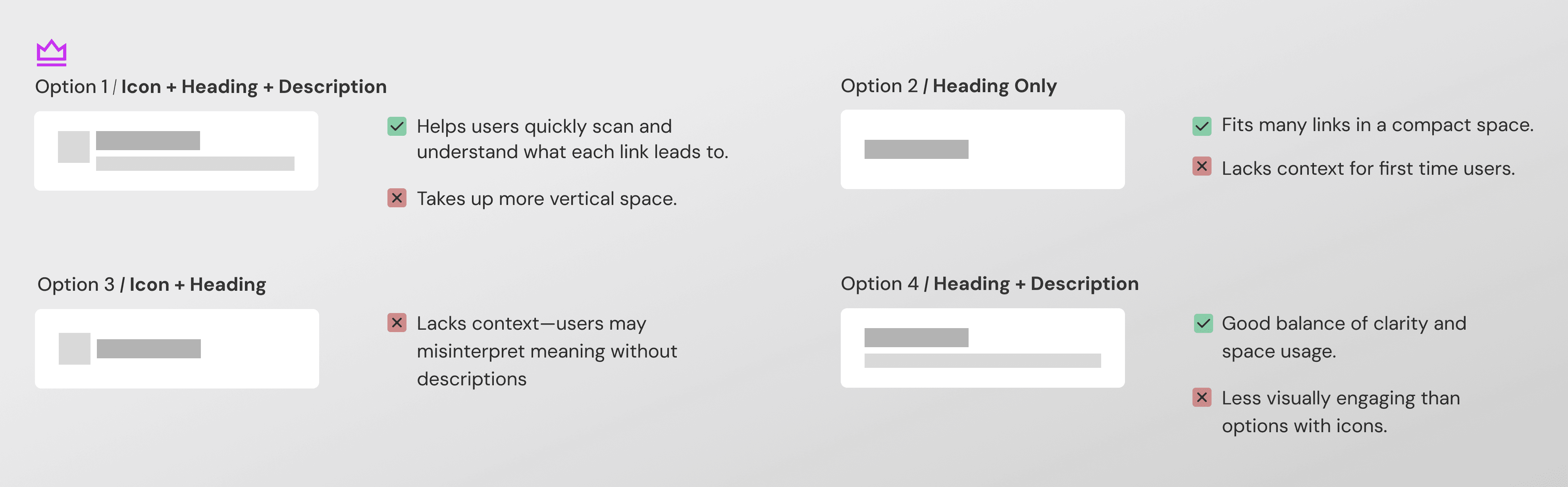
Visual heirarchy of content
I chose Option 1 – Icon + Heading + Description, as it provides the best combination of clarity, scannability, and guidance—especially important for a diverse public audience visiting a Parks and Community Services site.
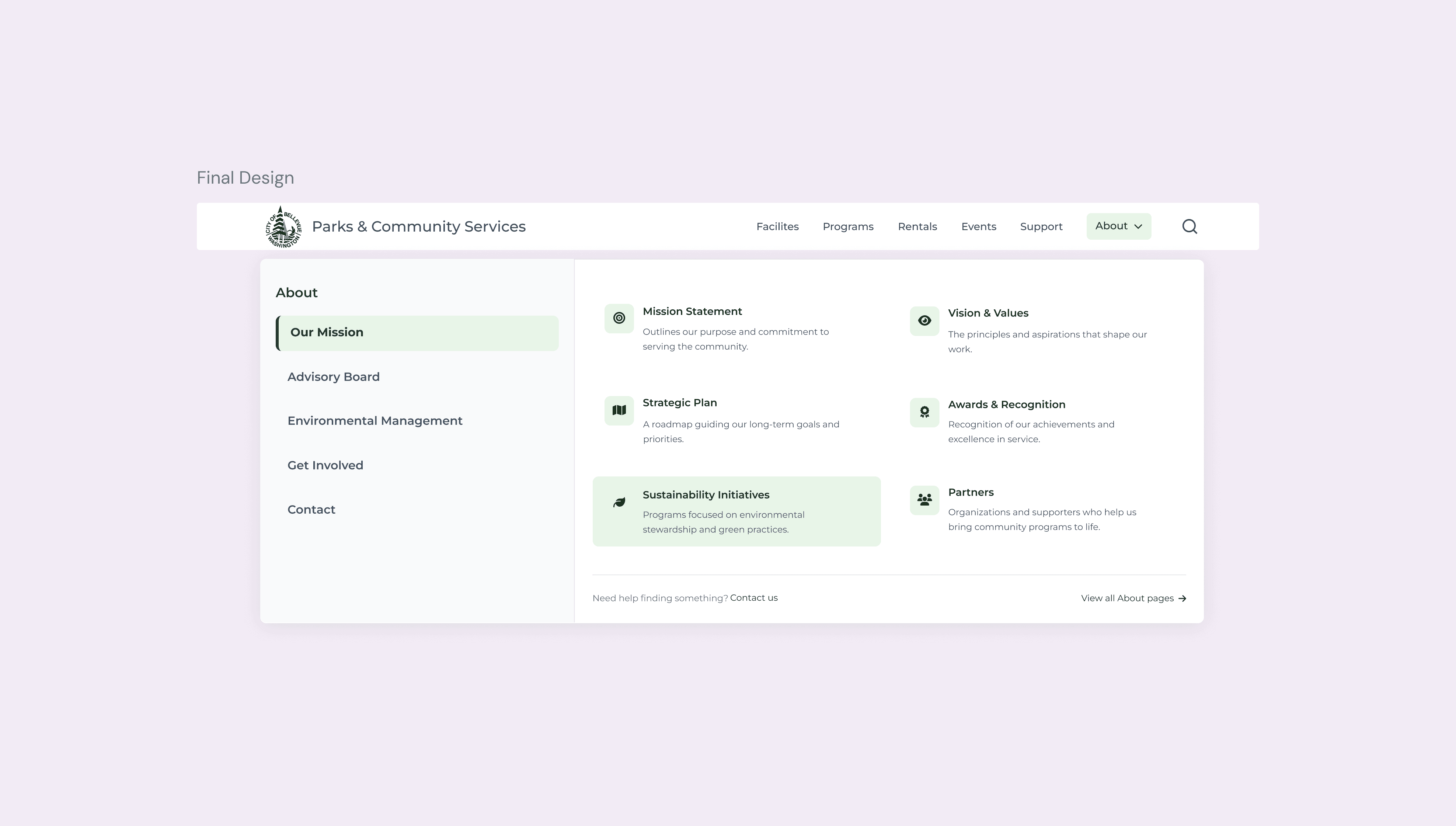
RESULTS
City residents feel more confident navigating the website.
Out of 115 participants, 62 said they would recommend the website to others. And 100% said they feel more confident navigating the redesigned website, compared to the existing one.
100%
Particiapnts said they feel more confident
80%
Pariticpants want to explore activities and programs in the new website
7 to 3
Reduced avgerage clicks to find information
LEARNINGS + RELECTIONS
Using IA to Guide Strategy and Feature Planning
This concept project showed how good information architecture can support better features, not just organize content. Even without full implementation, the work provided a strategic roadmap for building scalable, accessible city services that meet real community needs.